Overview
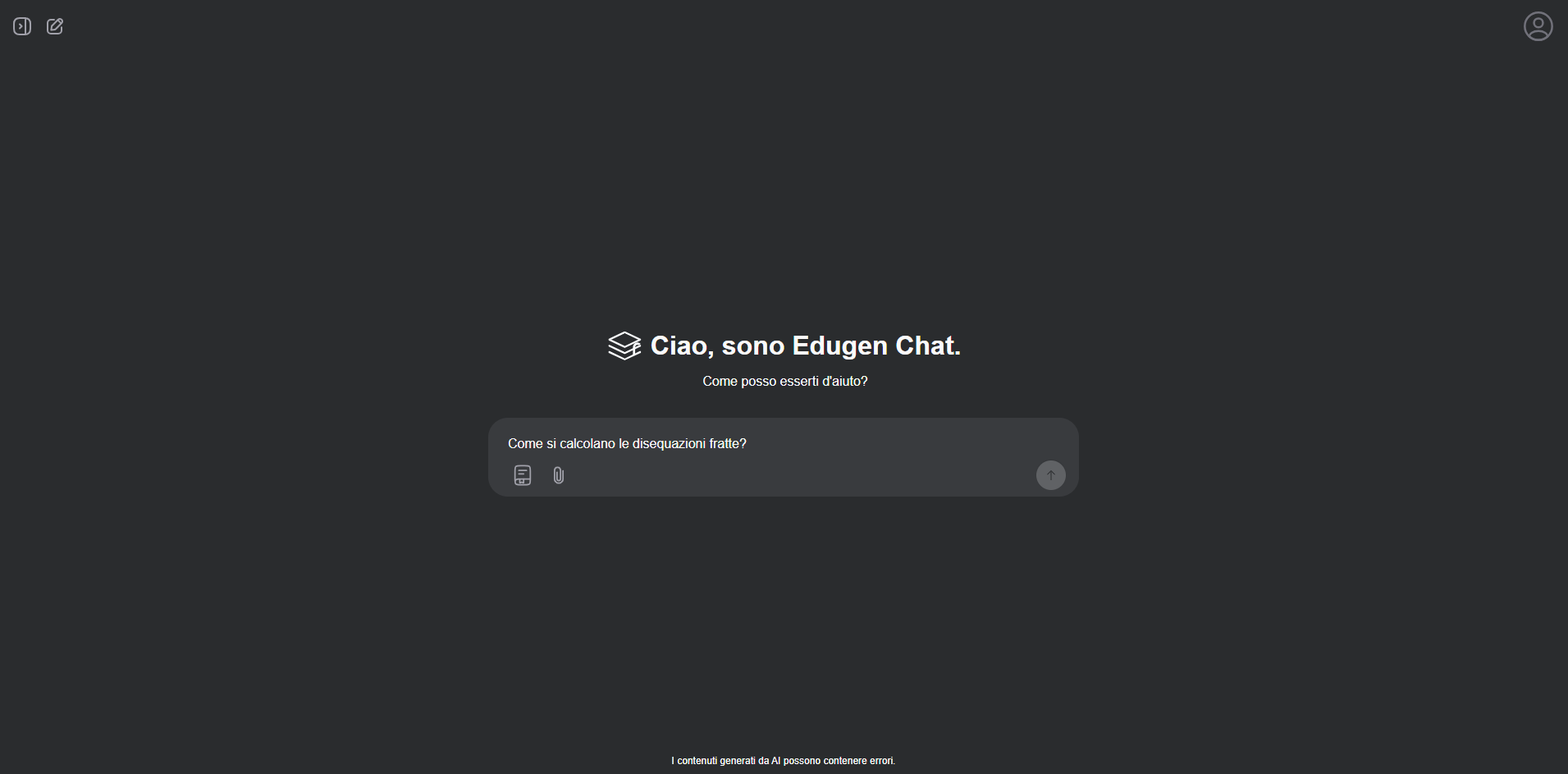
EduGen is a full-stack study platform built around four connected tools: cited AI chat, lesson search, document uploads, and generated quizzes. I worked across the retrieval pipeline, API, persistence layer, streaming protocol, and responsive Next.js interface.
Retrieval and cited chat
Educational lessons were cleaned, split into sentence-level groups, and indexed with their title, parent lesson, and URL. BGE-M3 generated dense and sparse vectors for both titles and content. Milvus searched these representations in parallel, and reciprocal-rank fusion combined the results into one ranking.
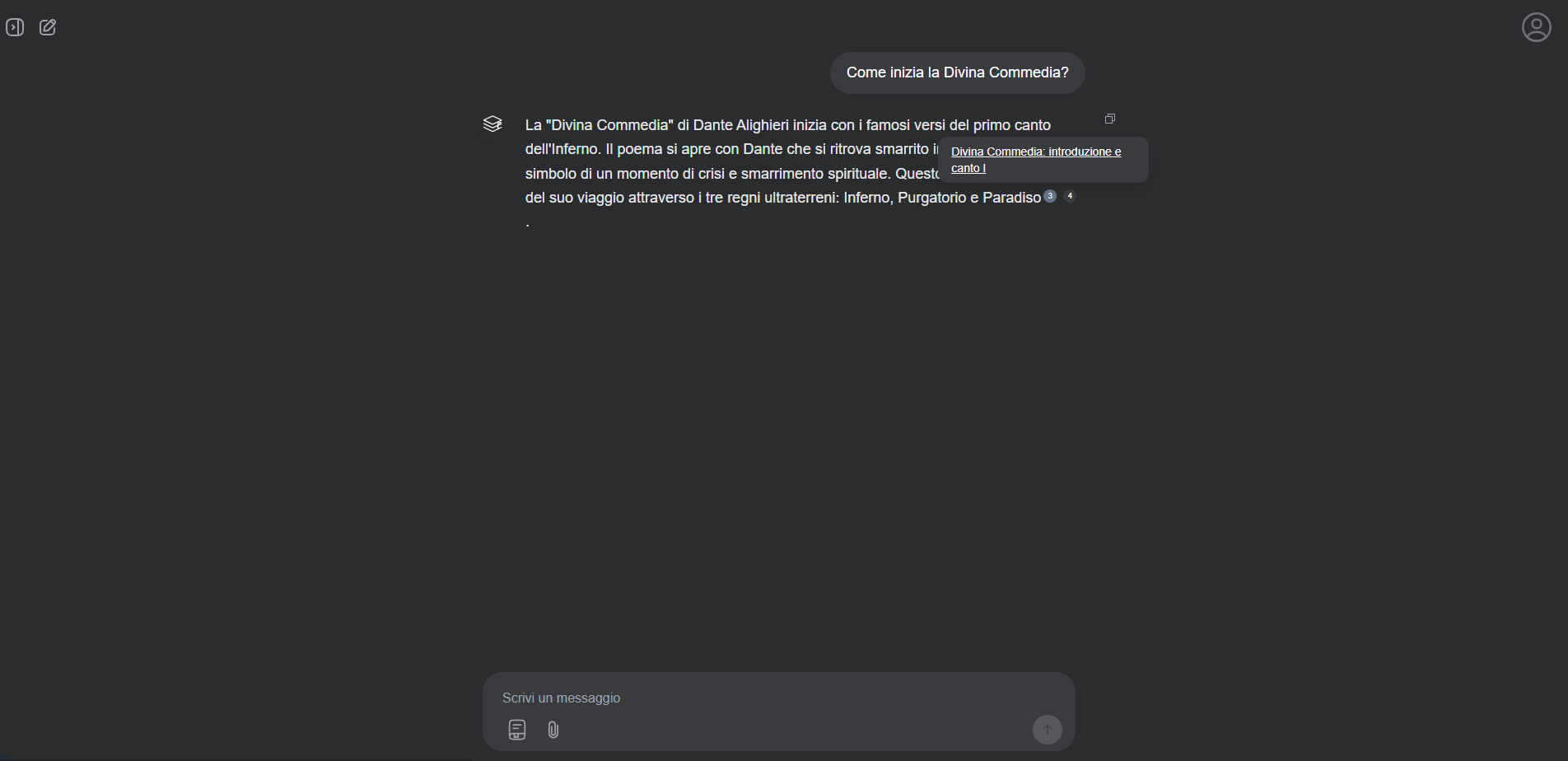
The chat agent could generate multiple search queries for a question, retrieve relevant passages, and use them as numbered context for the answer. Citations retained the metadata required to preview or open the original lesson.
FastAPI streamed search status, answer tokens, citations, completion state, and generated conversation titles through server-sent events. The Next.js client updated a single assistant message during generation and supported cancellation, automatic scrolling, persistent URLs, and conversation history.
Answers supported Markdown, code blocks, and KaTeX mathematics. Inline citation markers opened source previews, while copy and negative-feedback actions were available directly on each response.
Search, documents, and quizzes
Direct search returned ranked lesson cards with highlighted passages. The lesson reader displayed formatted content, authors, licensing, related lessons, and navigation to the next lesson.
The upload flow extracted text from PDF, PowerPoint, Word, and plain-text files with Haystack converters. Files were scoped to the authenticated user and could be attached to a conversation or used to generate a quiz.
Quiz generation accepted pasted text, uploaded files, or up to three lessons from the EduGen library. Users could request 5, 10, 20, or 30 multiple-choice, true-or-false, or open-ended questions. The player provided answer states, explanations, reference answers, pagination, and saved quiz history.
Application architecture
FastAPI exposed services for chat, search, lessons, files, quizzes, conversations, onboarding, accounts, and feedback. Beanie and MongoDB persisted users, histories, attachments, citations, and generated content. Auth0 handled authentication and token validation.
The frontend used Next.js, React, TypeScript, Tailwind CSS, and NextUI. It included responsive chat and quiz sidebars, light and dark themes, upload progress, account and balance states, and specific handling for expired sessions, failed connections, empty results, and insufficient credits.
Engineering focus
The main challenge was maintaining consistent state across retrieval, streaming, citations, attachments, and persistence. Citation indices had to remain stable across follow-up messages, streamed output had to survive cancellation and routing changes, and generated conversations and quizzes had to remain accessible through history.
Conclusion
EduGen connected cited chat, hybrid lesson search, document analysis, and quiz generation in one study workflow. It brought retrieval, streaming, persistence, and a responsive frontend together as a complete AI product.